McDonald’s and Minecraft might seem like an odd pairing at first glance, but the iconic fast-food brand has become a surprisingly popular theme in the blocky universe. Whether you’re looking to dress up as Ronald McDonald, roleplay as a fry cook, or just add some absurd humor to your survival world, McDonald’s skins have carved out their own niche in the community. Unlike official crossover skins from franchises like Star Wars or Marvel, most McDonald’s skins are community-driven creations, which means there’s a massive variety to choose from, ranging from pixel-perfect recreations of the Golden Arches uniforms to nightmare-fuel interpretations of Grimace.
This guide covers everything you need to know about finding, installing, and using McDonald’s skins in Minecraft across all platforms. We’ll walk through the history of McDonald’s in the Minecraft community, show you where to download the best skins, and even cover how to create your own custom designs. If you’ve ever wanted to serve up pixelated Big Macs in your multiplayer server, you’re in the right place.
Key Takeaways
- McDonald’s skins in Minecraft are community-created cosmetic designs that let players dress as employees, mascots, or menu items, with no official branded collaboration from McDonald’s or Mojang.
- You can download free McDonald’s skins from popular databases like NameMC, The Skindex, and Planet Minecraft, or create your own using skin editors like NovaSkin with a standard 64×64 PNG template.
- Installation processes differ by platform—Java Edition allows direct upload through the launcher, while Bedrock Edition requires additional steps through Settings or the Minecraft website depending on whether you’re on Windows, mobile, or console.
- Ronald McDonald and Grimace skins dominate the community, with variations ranging from classic and modern designs to horror-themed ‘cursed’ versions that tie into meme culture.
- Pairing your Minecraft McDonald’s skin with a custom build featuring red-and-yellow color schemes, drive-thrus, and interior details creates immersive roleplay servers or impressive content creator showcases.
- Common skin issues like corrupted textures or incorrect model alignment can be fixed by verifying the 64×64 resolution, selecting the correct player model (Steve vs. Alex), and ensuring your internet connection is stable for multiplayer sync.
What Are Minecraft McDonald’s Skins?
McDonald’s skins are custom player appearances that transform your Minecraft character into something related to the fast-food chain. These can range from employees in recognizable uniforms to mascots like Ronald McDonald, Grimace, or the Hamburglar. Some skins are straightforward, a crew member in a visor and polo, while others get creative with interpretations of menu items, packaging, or even abstract concepts like “living Happy Meal.”
Skins in Minecraft are purely cosmetic. They don’t affect gameplay, stats, or hitboxes, but they’re a huge part of player identity, especially on multiplayer servers or in content creation. A McDonald’s skin can be a gag for a one-off video, part of a themed roleplay server, or just a way to mess with your friends during a co-op session.
The format is simple: skins are 64×64 pixel PNG files that wrap around the player model. Both Java Edition and Bedrock Edition support custom skins, though the installation process differs slightly. On Java, you’ve got full freedom to upload any skin file. On Bedrock (which covers Windows 10/11, consoles, and mobile), you can still use custom skins, but some platforms require a few extra steps or Xbox Live sign-in.
The History of McDonald’s and Minecraft Collaborations
Official McDonald’s Skin Promotions
Unlike some major brands that have partnered directly with Mojang for official skin packs, McDonald’s has never had a formal, wide-scale collaboration with Minecraft. There have been regional promotions, particularly in Asian markets, where McDonald’s Happy Meals included codes for Minecraft-themed toys or accessories, but nothing that resulted in an official McDonald’s skin pack on the Minecraft Marketplace.
In 2018, McDonald’s Singapore ran a promotion that tied Minecraft toys to Happy Meals, but it focused on generic Minecraft characters rather than McDonald’s branding. A few years later, rumors circulated about potential skins tied to McDonald’s promotions in Japan and South Korea, but nothing materialized on a global scale. As of March 2026, there’s no official McDonald’s DLC or branded content in Minecraft.
Community-Created McDonald’s Skins
What the community lacks in official support, it more than makes up for in creativity. McDonald’s skins started appearing on skin databases as early as 2011, shortly after Minecraft’s full release. The designs range from pixel-art recreations of the classic red-and-yellow uniforms to horror-themed reinterpretations of mascots.
The popularity spiked around 2016-2017 when roleplay servers and YouTube content creators began featuring fast-food-themed builds and skins. Channels focused on Minecraft roleplay would create entire McDonald’s restaurants, complete with drive-thrus, kitchens, and customer areas, and players needed matching skins to sell the illusion.
By 2020, the trend evolved with meme culture. Skins based on the “Grimace Shake” meme or cursed Ronald McDonald images became common on servers. The community has kept the theme alive, and in 2026, you can still find hundreds of McDonald’s skins across various platforms, updated regularly to match current design trends and memes.
How to Get McDonald’s Skins in Minecraft
Downloading Free McDonald’s Skins
The easiest and most common way to get a McDonald’s skin is to download one from a skin database. Websites like NameMC, The Skindex, MinecraftSkins.com, and Planet Minecraft host thousands of user-uploaded skins, searchable by keyword. Simply type “McDonald’s” or “Ronald McDonald” into the search bar, and you’ll get pages of results.
Most of these skins are free and available for instant download. Once you’ve found one you like, download the PNG file to your device. Make sure it’s a 64×64 resolution skin, older “classic” 64×32 skins are still around but lack support for features like second layers on arms and legs.
On sites like Nexus Mods, you can also find modded skin packs or texture replacements that change NPCs or mobs into McDonald’s-themed characters, though these require additional mod loaders like Fabric or Forge.
Finding Premium McDonald’s Skins in the Marketplace
Bedrock Edition’s Minecraft Marketplace doesn’t currently feature any official McDonald’s skin packs, but there are third-party creators who sell themed skin bundles that include fast-food worker designs. These packs typically cost between 310 and 660 Minecoins (roughly $1.99 to $3.99 USD) and often bundle multiple occupations, including restaurant employees.
While you won’t find a pack labeled “McDonald’s,” you can search terms like “restaurant,” “fast food,” or “worker” to find close alternatives. Keep in mind that Marketplace content must pass Microsoft’s approval process, so direct brand references are rare.
Creating Your Own Custom McDonald’s Skin
If you can’t find the exact skin you want, or you’re after something hyper-specific like a 1990s McDonald’s uniform or a menu item mashup, you can make your own. Skin editors like NovaSkin, Skinseed (mobile), or even basic image editors like GIMP or Photoshop work fine.
Start with a blank skin template (easily found via a Google search for “Minecraft skin template”). Use reference images of McDonald’s uniforms, logos, or mascots to guide your pixel art. The hardest part is usually getting the proportions right on the model, so preview your work frequently using the editor’s 3D view.
Once you’re satisfied, export the skin as a PNG and follow the installation steps for your platform. Custom skins are especially useful for content creators who want a unique look that no one else has.
Step-by-Step: Installing McDonald’s Skins on Different Platforms
Installing Skins on Java Edition
Java Edition has the most straightforward skin installation process. Here’s how to do it:
- Download your McDonald’s skin PNG file from a skin site or create your own.
- Open the Minecraft Launcher and click on the Skins tab.
- Select New Skin and click Browse to locate your downloaded PNG file.
- Choose your player model: Steve (classic, wider arms) or Alex (slim arms). Most McDonald’s employee skins look better on Steve, while some mascot designs work on either.
- Name your skin (optional) and click Save & Use.
- Launch the game. Your new skin will be active immediately.
Alternatively, you can upload skins directly through the official Minecraft website by logging into your account and navigating to the Profile section. This method syncs your skin across devices automatically.
Installing Skins on Bedrock Edition (Windows, Mobile, Console)
Bedrock Edition’s process varies slightly depending on your platform, but the core steps are similar:
For Windows 10/11:
- Download the McDonald’s skin PNG.
- Open Minecraft and go to Settings > Profile > Edit Character.
- Click the hanger icon (second from the left) to open the skin menu.
- Select Owned and then Import (the + icon).
- Choose New Skin and select your PNG file.
- Pick your model (Classic or Slim), confirm, and you’re done.
For Mobile (iOS/Android):
- Download the skin to your device (usually via a browser or file manager).
- Open Minecraft and tap Settings > Profile > Edit Character.
- Tap the hanger icon, then Owned, then the + button.
- Tap Choose New Skin and navigate to your downloaded file.
- Select the model type and confirm.
For Consoles (PlayStation, Xbox, Switch):
Consoles require skins to be uploaded through the Minecraft website or transferred via a linked Microsoft account. The easiest method:
- On a PC or mobile browser, log into Minecraft.net with your Microsoft account.
- Navigate to your profile and upload the skin PNG there.
- Launch Minecraft on your console. If signed in with the same account, the skin will sync automatically.
Note: Some console editions have restrictions on custom skins for players without Xbox Live Gold or PlayStation Plus, depending on server settings.
The Most Popular McDonald’s Character Skins
Ronald McDonald Skins
Ronald McDonald is by far the most downloaded McDonald’s skin in the Minecraft community. The iconic clown mascot translates surprisingly well into pixel art, with his red-and-yellow jumpsuit, oversized shoes, and exaggerated makeup.
There are dozens of variations:
- Classic Ronald: The traditional look from the 1980s-2000s, with the striped shirt and baggy yellow pants.
- Modern Ronald: A slightly updated, less clown-heavy design that McDonald’s used in the 2010s before phasing out the mascot in many markets.
- Cursed Ronald: Horror-themed interpretations that lean into creepypasta aesthetics, often featuring distorted faces or blood effects. These became especially popular during the “evil McDonald’s” meme waves.
Most Ronald skins use the Steve model for the classic proportions. Players searching for Steve from Minecraft skin guides will find that the base character’s blocky build works well for mascot costumes.
Grimace and Other Mascot Skins
Grimace, the big purple taste-bud creature, had a resurgence in 2023 thanks to the “Grimace Shake” TikTok trend. Minecraft skin creators responded with a flood of Grimace designs, ranging from cute and cartoonish to disturbingly realistic.
Other mascots that get the skin treatment:
- Hamburglar: The striped convict outfit is easy to recreate in pixel art and remains a fan favorite.
- Birdie the Early Bird: Less common but still available on most skin sites.
- Mayor McCheese: A deep cut for McDonald’s lore fans. These skins usually feature a giant cheeseburger head.
Mascot skins tend to use the Steve model for better proportions, though some creators make Alex versions for players who prefer the slimmer arms.
McDonald’s Employee and Worker Skins
For roleplay servers or build showcases, employee skins are essential. These typically feature:
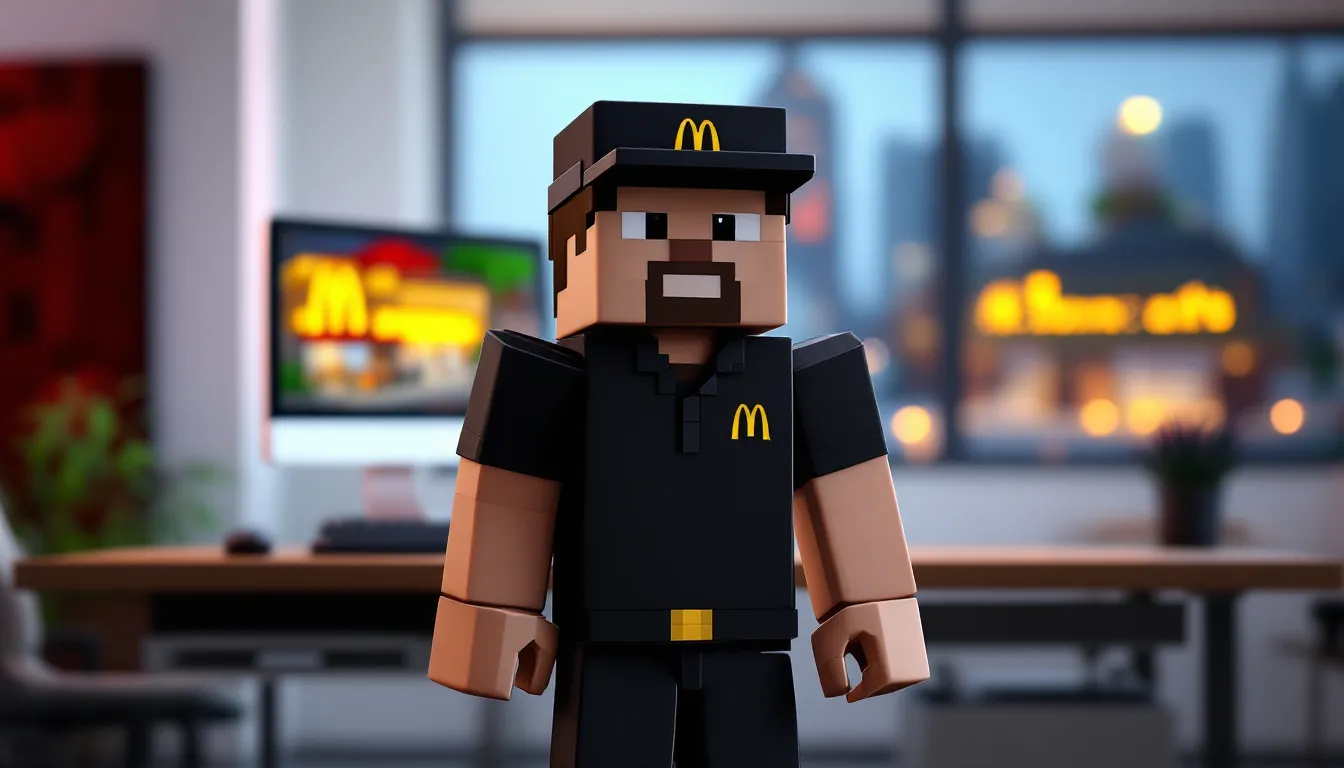
- Black polo or button-up shirt with the McDonald’s logo on the chest.
- Black pants or dark jeans.
- Visor or baseball cap with the Golden Arches.
- Name tag (optional detail depending on the skin’s resolution).
Some creators include variations for different roles: cashiers, cooks (with aprons), managers (with ties or different shirt colors), and drive-thru attendants. These skins are usually more understated than mascot designs, making them perfect for immersive builds.
Employee skins are popular on servers with economy plugins or job systems, where players can “work” at player-owned businesses. Pairing these skins with detailed building showcases elevates the realism of roleplay scenarios.
Best Websites and Resources for McDonald’s Skins
Here are the top sites for finding high-quality McDonald’s skins in 2026:
NameMC
One of the most popular skin databases, with a clean interface and robust search. Searching “McDonald’s” returns 200+ results, and you can filter by date uploaded, popularity, or user rating. Each skin has a 3D preview, and downloading is a single click.
The Skindex
A veteran skin site that’s been around since Minecraft’s early days. The Skindex has a massive library, and its “trending” section often features meme-driven skins like cursed Ronald McDonald designs. You can also upload your own creations here.
Planet Minecraft
Known for its community-driven content, Planet Minecraft hosts skins, mods, and builds. The site’s “Featured Skins” section highlights high-quality uploads, and the comments often include installation tips or requests for edits.
MinecraftSkins.com
A straightforward database with minimal clutter. Great for quick downloads if you know exactly what you’re looking for. The search function is fast, and the 3D preview tool works well on mobile.
NovaSkin
Not just a download site, NovaSkin is a full skin editor with a gallery of user creations. You can browse McDonald’s skins, download them, or open them in the editor to tweak colors, add details, or remix designs.
Reddit: r/MinecraftSkins
The subreddit is a solid place to request custom skins or share your own. If you’re looking for something obscure (like a specific McDonald’s uniform from a certain year), posting a request here often gets results within a day or two.
External gaming sites like Twinfinite occasionally feature curated skin lists for trending themes, including fast-food and meme-related designs. Similarly, GamesRadar+ publishes seasonal guides that highlight the best community creations across various categories.
Creating Custom McDonald’s-Themed Builds to Match Your Skin
Building a McDonald’s Restaurant
A McDonald’s skin isn’t complete without a matching build. Constructing a recognizable restaurant adds context and makes for great screenshots or roleplay scenarios.
Start with the exterior. The classic McDonald’s look uses:
- Red and yellow concrete or terracotta for the signature color scheme.
- Quartz or white concrete for the modern, clean-lined aesthetic of newer locations.
- Glass panes for floor-to-ceiling windows (most McDonald’s have lots of natural light).
- Gold blocks (sparingly) to represent the Golden Arches logo. Place two vertical arches at the entrance or on the roof.
For the interior, focus on:
- Counter area: Use slabs or trapdoors to create a service counter, with item frames displaying food items (baked potatoes for fries, cooked beef for burgers, etc.).
- Kitchen: Hide this behind the counter with furnaces (grills), cauldrons (fryers), and chests (storage). Redstone lamps can simulate heat lamps.
- Seating: Use stairs and slabs to create booths or tables. Red and yellow carpet ties the color scheme together.
- Menu boards: Use black concrete or blackstone with item frames and maps to display a custom menu. Some builders create pixel art menus using map art tools.
For added realism, include a bathroom (with doors and signs), a storage room, and a manager’s office. Lighting is key, use lots of lanterns, sea lanterns, or glowstone to mimic the bright, fluorescent feel of a real McDonald’s.
Designing a Drive-Thru and Play Area
A drive-thru adds functionality and authenticity. Build a winding path using concrete or asphalt-textured blocks (gray concrete works well). Add:
- Speaker box: A single fence post with a note block and button.
- Order screen: Use a painting, banner, or item frame.
- Pickup window: An open space with a hopper or dropper mechanism if you want a functioning item delivery system.
For the play area (a staple of McDonald’s in the ’90s and 2000s), use:
- Colorful blocks: Bright wool, terracotta, or concrete in primary colors.
- Climbing structures: Fences, ladders, and trapdoors to simulate tubes and slides.
- Ball pit: A sunken area filled with colored wool or concrete powder.
- Tables and seating: Smaller versions of the main dining area.
Some builders go further and include a PlayPlace exterior structure with a slide exiting into the parking lot. This is purely decorative but adds a nostalgic touch, especially for players who grew up with those setups.
Troubleshooting Common McDonald’s Skin Issues
Skin not showing up in multiplayer:
This is usually a server-side setting. Some servers disable custom skins or require players to use a specific resource pack. Check the server’s rules or ask an admin. On Bedrock realms, custom skins should work automatically if your Xbox profile is linked.
Skin looks corrupted or pixelated:
You likely downloaded a skin in the wrong resolution. Minecraft supports 64×64 skins, but older 64×32 skins still exist. If your skin looks stretched or missing textures, re-download from a different source or check the file properties before uploading.
Skin resets to default Steve or Alex:
On Java Edition, this can happen if your Minecraft session isn’t connected to the internet when you launch. The game will default to Steve until it can fetch your skin from Mojang’s servers. On Bedrock, make sure your Microsoft account is signed in and that you’ve selected the custom skin in the profile editor.
Can’t import skin on Bedrock (mobile/console):
Some platforms restrict file imports due to OS-level permissions. On iOS, make sure the PNG is saved to your Files app, not just the Photos app. On Android, check that Minecraft has storage permissions enabled in your device settings. On consoles, upload the skin via Minecraft.net instead of trying to import directly.
Skin doesn’t match model (arms look wrong):
You may have selected the wrong model type during import. If your skin was designed for the Steve (classic) model but you chose Alex (slim), or vice versa, the arms will look misaligned. Re-import the skin and double-check the model setting. Most McDonald’s employee and mascot skins use the Steve model by default.
Skin isn’t visible to other players:
On some third-party servers or modded clients, skins require additional permissions or client-side mods to display. Vanilla Minecraft should show skins automatically as long as both players are connected to the internet and have skins enabled in their settings.
Conclusion
McDonald’s skins might not be official Minecraft DLC, but the community has kept the theme alive with an impressive variety of designs, from nostalgic mascots to modern meme interpretations. Whether you’re setting up a roleplay server, building a massive franchise replica, or just want to confuse your friends by showing up as Grimace in a hardcore survival world, there’s a McDonald’s skin out there for you.
The installation process is quick on both Java and Bedrock, and with the wealth of free resources available, you can swap skins as often as you like. Pair your new look with a themed build, and you’ve got the foundation for some memorable multiplayer moments or content creation. Just remember: no matter how detailed your skin is, you still can’t actually eat the pixelated fries.