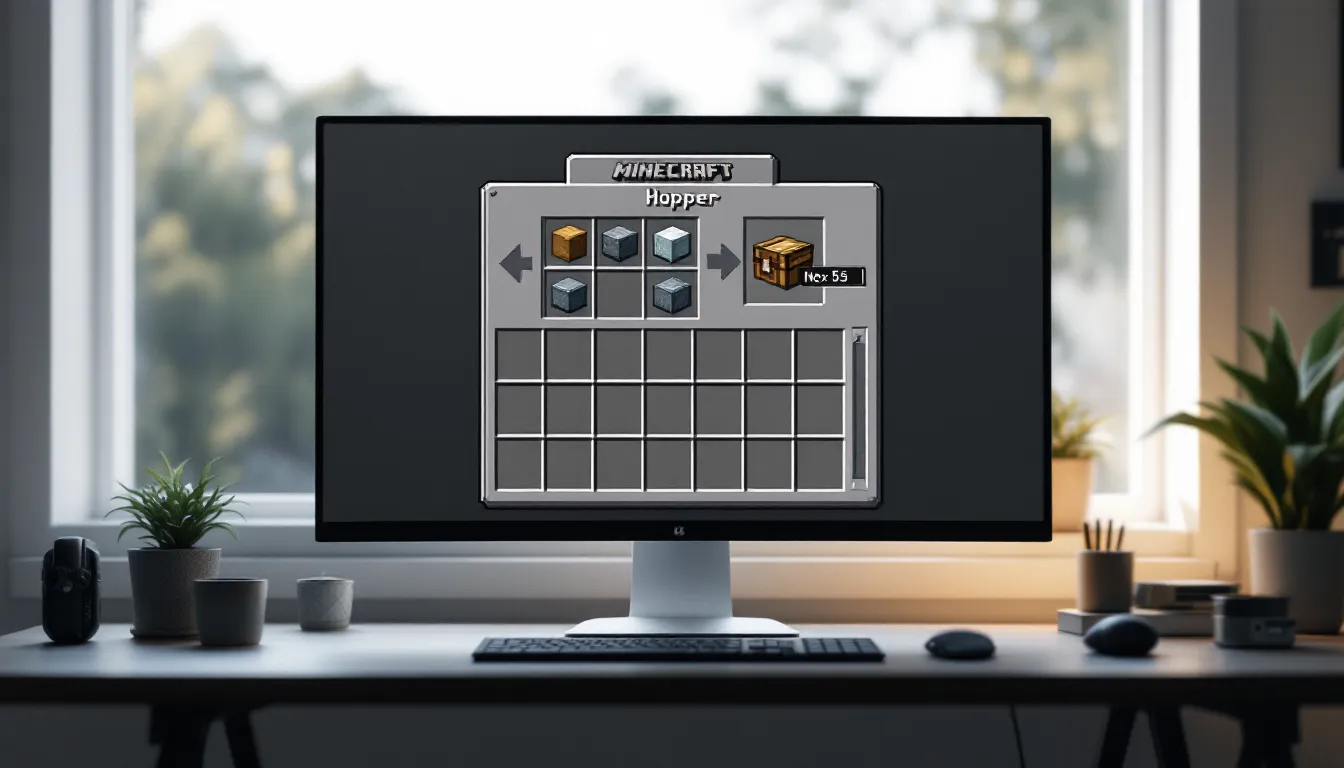
Hoppers are the backbone of automation in Minecraft. Whether you’re building your first semi-automatic farm or designing a complex item sorting system that would make a Redstone engineer jealous, understanding how to craft and use hoppers is essential. They’re deceptively simple, just five iron ingots and a chest, but the systems they enable can transform your gameplay from manual grinding to efficient, AFK-friendly automation.
This guide breaks down everything you need to know about hoppers in Minecraft as of 2026. You’ll learn the exact recipe, where to gather materials, how hoppers function under the hood, and how to integrate them into practical builds. No filler, no fluff, just the information you need to start automating your world.
Key Takeaways
- A hopper recipe requires just 5 iron ingots and 1 chest, arranged in a funnel pattern on a crafting table to unlock automated item transfer systems.
- Hoppers transfer one item every 0.4 seconds and can pull from containers above while pushing into connected containers below or to the side, but you must crouch when placing to ensure proper connection.
- Mastering directional control and using multiple hopper designs—like automatic smelting systems, item sorters, and mob farm collection—scales from basic automation to server-wide item management.
- Lock hoppers with Redstone signals to control overflow, create timed releases, or pause systems for maintenance without losing stored items.
- Common placement errors like forgetting to crouch and misaligned hopper chains can be fixed by breaking and repositioning hoppers to ensure the output tube points toward the target container.
What Is a Hopper in Minecraft?
A hopper is a utility block that transfers items between containers automatically. Think of it as a one-way conveyor belt: it pulls items from the container above it (or items dropped into its top surface) and pushes them into the container it’s connected to below or on its side.
Hoppers have a 5-slot internal inventory and transfer one item every 0.4 seconds (8 game ticks). They’re essential for automation because they work passively, no player input, no Redstone required for basic functionality.
You’ll find hoppers in mineshaft chests occasionally, but crafting them is far more reliable. They’re available across all platforms, Java Edition, Bedrock Edition (PC, console, mobile), and even legacy console editions, with identical functionality in current versions (Java 1.20+ and Bedrock 1.20+).
Materials Needed to Craft a Hopper
To craft one hopper, you need:
- 5 Iron Ingots
- 1 Chest
That’s it. No fancy materials, no Nether trip required. Iron is abundant once you know where to look, and chests are one of the first things most players craft.
Where to Find Iron Ore
Iron ore spawns underground in all Overworld biomes. As of the Caves & Cliffs update (still current in 2026), iron ore distribution follows these patterns:
- Most common between Y-levels 16 and 232 (abundance peaks around Y=16 and Y=232)
- Dense veins occasionally generate between Y=-64 and Y=-16 (introduced in 1.18)
- Also found above ground in mountain biomes at higher Y-levels
The easiest strategy: strip mine around Y=16 or explore caves at that level. You’ll hit iron ore constantly. Bring a stone pickaxe or better, wooden and gold pickaxes won’t drop the ore.
Iron ore appears as stone blocks with brown/tan speckles. In deepslate layers (below Y=0), it spawns as deepslate iron ore, which takes slightly longer to mine but drops the same raw iron.
How to Smelt Iron Ingots
Once you’ve mined iron ore, you’ll get raw iron. Smelt it in a furnace or blast furnace:
- Place your furnace (craft with 8 cobblestone)
- Add fuel (coal, charcoal, lava bucket, etc.)
- Add raw iron to the top slot
- Wait ~10 seconds per iron ingot (5 seconds in a blast furnace)
Each raw iron produces one iron ingot. You need five ingots per hopper, so mine at least five raw iron, though you’ll want way more for future hoppers and other iron tools.
Crafting a Chest
A chest requires 8 wooden planks of any type. Chop down any tree, convert logs to planks at a 1:4 ratio, then arrange planks in a square (filling all crafting slots except the center).
If you’re past the early game, you likely have chests stockpiled. If not, one tree gives you more than enough planks for multiple chests.
Step-by-Step Hopper Recipe and Crafting Process
Open your crafting table (you need the 3×3 grid, hoppers can’t be crafted in the 2×2 inventory grid). Arrange materials exactly as follows:
Hopper Recipe Pattern:
- Top row: Iron Ingot | Empty | Iron Ingot
- Middle row: Iron Ingot | Chest | Iron Ingot
- Bottom row: Empty | Iron Ingot | Empty
The pattern forms a funnel shape: two ingots at the top corners, two on the middle sides, one at the bottom center, with the chest in the middle. This yields one hopper per craft.
Visual breakdown:
[Iron] [ ] [Iron]

[Iron] [Chest] [Iron]

[ ] [Iron] [ ]
Once you place materials correctly, the hopper icon appears in the result box. Drag it to your inventory. That’s it, no special crafting stations or enchantments needed.
Efficiency tip: Mass-produce hoppers by keeping a chest stocked with iron ingots near your crafting area. Many automation systems require 10–30+ hoppers, so don’t just craft one and call it done.
How Hoppers Work: Mechanics and Functionality
Understanding hopper mechanics separates functional builds from frustrating failures. Here’s how they actually operate under the hood.
Item Transfer Speed and Direction
Hoppers transfer items at a fixed rate: one item every 0.4 seconds (8 game ticks, or 2.5 items per second). This applies to both input (pulling from above) and output (pushing to connected containers).
Directional behavior:
- Hoppers pull items from any container directly above them (chests, furnaces, other hoppers, etc.)
- They also collect items dropped onto their top surface (useful for mob farms)
- Hoppers push items into the container they’re pointing at, determined by their output tube direction when placed
To control output direction, crouch (Shift key/sneak button) and place the hopper while aiming at the target container. The hopper’s tube will visibly point toward that container. Without crouching, you’ll place the hopper in default downward orientation.
Connecting Hoppers to Containers
Hoppers can connect to:
- Chests (regular, trapped, ender, though ender chests don’t interact with hoppers)
- Barrels
- Furnaces, blast furnaces, smokers (input slots when feeding from above, output slots when pulling from below)
- Brewing stands
- Droppers and dispensers
- Composters
- Other hoppers (for hopper chains)
Key rule: The hopper must be placed against the target container while crouching, or the tube won’t connect properly. If you place a hopper next to a chest without crouching, it’ll just sit there, no connection.
Many players struggle with game mechanics guides until they internalize this crouch-placement requirement. It’s not intuitive, but once you’ve done it a few times, it becomes muscle memory.
Hopper Filtering Basics
Hoppers don’t have built-in filters, but you can create filtering systems by exploiting their behavior:
- Slot-locking: If a hopper’s slots are partially filled with junk items (renamed blocks, etc.), only matching items can stack in those slots
- Comparator detection: Redstone comparators detect inventory states, enabling item-specific sorting
- Hopper minecart under-hopper method: Hopper minecarts pull items through full blocks, enabling compact filtering
Filtering is advanced stuff. For now, just know that hoppers themselves transfer any item, you need additional Redstone logic for selective sorting.
Creative Ways to Use Hoppers in Your Builds
Hoppers unlock automation that scales from simple quality-of-life improvements to mega-farms that generate thousands of items per hour. Here are proven designs to get you started.
Automatic Smelting Systems
Place a hopper above a furnace (input slot), one below (output slot), and one on the side (fuel slot if you want auto-fueling). The top hopper feeds raw materials, the bottom collects smelted items.
Basic setup:
- Chest (raw materials) → Hopper → Furnace (top input)
- Furnace (bottom output) → Hopper → Chest (finished items)
- Optional: Chest (fuel) → Hopper → Furnace (side fuel slot)
This runs continuously as long as materials and fuel are available. Scale it by adding multiple furnaces in parallel, all feeding into a central collection hopper.
Item Sorting and Storage Solutions
Item sorters use hoppers with locked slots and comparator logic to redirect specific items into designated chests. A basic sorter uses 5–6 hoppers per sorted item type.
Simplified sorter concept:
- Main hopper line pulls items from an input chest
- Side hoppers (pointing into storage chests) have 4 slots filled with junk items and 1 slot with the target item
- Comparators detect when the target item enters, triggering Redstone that momentarily unlocks that hopper
- Target item diverts into storage: other items continue down the line
Full sorter designs are complex, but many players reference detailed tutorials for step-by-step wiring. Once built, sorters organize thousands of items automatically.
Crop and Mob Farm Automation
Hoppers placed under farmland or mob kill chambers collect drops automatically:
- Crop farms: Hopper minecarts running on rails under farmland collect harvested crops (especially useful for villager-based auto-farms)
- Mob farms: Hoppers below the kill chamber collect drops (rotten flesh, bones, gunpowder, etc.) and funnel them into storage
For mob farms, layer hoppers in a collection grid under the kill zone. Items drop through the air, land on hoppers, and get sucked into the system instantly.
Brewing Stand and Potion Automation
Hoppers above brewing stands add potion ingredients (top slot: main ingredient: bottom slots: bottles and fuel). Hoppers below collect finished potions.
Auto-brewer setup:
- Hopper (blaze powder) → Brewing stand (fuel slot, left side)
- Hopper (bottles/potions) → Brewing stand (bottom three slots, from below)
- Hopper (ingredients) → Brewing stand (top slot, from above)
- Brewing stand (output) → Hopper → Chest
This lets you queue up dozens of potions. Just load the input chests and walk away. It’s especially valuable for multiplayer servers where potion demand is high.
Locking and Disabling Hoppers with Redstone
Hoppers can be disabled with a Redstone signal, stopping all item transfers. This is crucial for controlling item flow in complex systems.
To lock a hopper, power it with any Redstone component:
- Redstone torch placed directly adjacent (side or below)
- Redstone repeater or comparator pointing into it
- Redstone dust running adjacent (though this can cause unintended locking in compact builds)
- Lever, button, or pressure plate attached directly
When powered, the hopper’s transfer stops completely, it won’t pull from above or push to connected containers. Items already inside remain, but no new items move.
Practical uses:
- Overflow protection: Lock hoppers when storage is full (using comparators to detect full chests)
- Timed releases: Use clocks to pulse hoppers on/off, controlling item flow rate
- Manual control: Lever switches let you pause systems for maintenance
Common mistake: Accidentally powering nearby hoppers with Redstone dust. Redstone signals can power blocks adjacent to dust, so compact builds sometimes lock hoppers unintentionally. Use repeaters or torches for precise control.
Common Hopper Mistakes and How to Fix Them
Even experienced players hit hopper issues. Here’s how to troubleshoot the most common problems.
Hopper Placement Errors
Problem: Hopper isn’t connecting to the container.
Solution: You probably didn’t crouch when placing it. Break the hopper (drops as an item) and replace it while holding Shift/sneak and aiming at the target container. The output tube should visibly point toward the container.
Problem: Items aren’t transferring between hoppers.
Solution: Check the hopper chain direction. Each hopper must point into the next one. If a hopper’s tube points the wrong way, items stop flowing. Trace the chain and fix any misaligned hoppers.
Problem: Hopper is pulling from the wrong container.
Solution: Hoppers pull from directly above. If two containers are stacked or adjacent, the hopper only interacts with the one immediately above its top surface. Rearrange containers or add a second hopper.
Performance Issues and Lag Reduction
Hoppers are notorious for causing lag in large quantities. Each active hopper performs constant checks (every tick) for items to pull or push, even when empty. In mega-builds with hundreds of hoppers, this tanks server performance.
Optimization strategies:
- Use hopper minecarts instead: In some designs, hopper minecarts on rails are more efficient than hopper chains
- Lock idle hoppers: If a hopper doesn’t need to run constantly, lock it with Redstone when not in use
- Minimize hopper counts: Combine hopper lines where possible: don’t use 10 hoppers when 3 will do
- Avoid hopper clocks: Old-school hopper clocks (two hoppers passing items back and forth) are lag nightmares. Use observers or repeaters instead
On multiplayer servers, excessive hoppers can get you warnings from admins. Many servers limit hopper counts per chunk or per player. Always build with performance in mind.
Advanced Hopper Techniques and Pro Tips
Once you’ve mastered basic hopper usage, these techniques will level up your automation game.
Hopper Minecarts vs. Regular Hoppers
Hopper minecarts are hoppers on rails. They pull items from containers or dropped items within a small radius and can pull items through full blocks (like solid blocks above them).
Key differences:
- Hopper minecarts can pull through blocks: regular hoppers can’t
- Hopper minecarts move on rails, useful for collection routes
- Hopper minecarts are cheaper item-wise (5 iron + 1 chest for the hopper, then 5 iron + minecart for the cart, but carts are reusable)
- Hopper minecarts sometimes cause less lag in certain designs (debated in the community, depends on implementation)
Use case: In crop farms, a hopper minecart on a rail under farmland collects crops through the blocks, eliminating the need for multiple stationary hoppers.
Crafting a hopper minecart: Combine a hopper + minecart in a crafting table (shapeless recipe).
Optimizing Hopper Chains for Efficiency
Long hopper chains (10+ hoppers in series) introduce transfer delays. Each hopper adds 0.4 seconds, so a 10-hopper chain has a 4-second lag from input to output.
Optimization tactics:
- Parallel hopper lines: Instead of one long chain, use multiple shorter chains feeding into a central collection point
- Water streams + hoppers: Use water streams to transport items quickly, then hoppers only at collection points (much faster over distance)
- Ice highways + hoppers: Items slide on ice: use packed ice or blue ice for high-speed item transport, hopper at the end
- Dropper chains: For vertical item transport, dropper chains (powered by Redstone) are faster than hopper towers
Another pro tip from the modding community: some optimization mods (for Java Edition) improve hopper performance significantly. If you’re running a modded server, consider performance mods like Lithium or Carpet Mod, which optimize hopper tick behavior.
Hopper timers: You can create precision timers by measuring how long it takes items to pass through a hopper chain. A 5-hopper chain = 2-second delay (5 × 0.4s). This enables Redstone timing without repeaters.
Conclusion
Hoppers are one of Minecraft’s most versatile blocks. Five iron ingots and a chest unlock automation that scales from simple furnace arrays to server-wide item sorting networks. Master the basics, crafting, placement, directional control, and you’ll avoid the frustration that trips up most players.
Once you’re comfortable, experiment with advanced setups: item sorters, auto-brewers, mob farm collection systems. The learning curve is real, but the payoff is massive. Your future self (and your storage room) will thank you.
Now grab your pickaxe, mine some iron, and start building. Your first hopper is just the beginning.