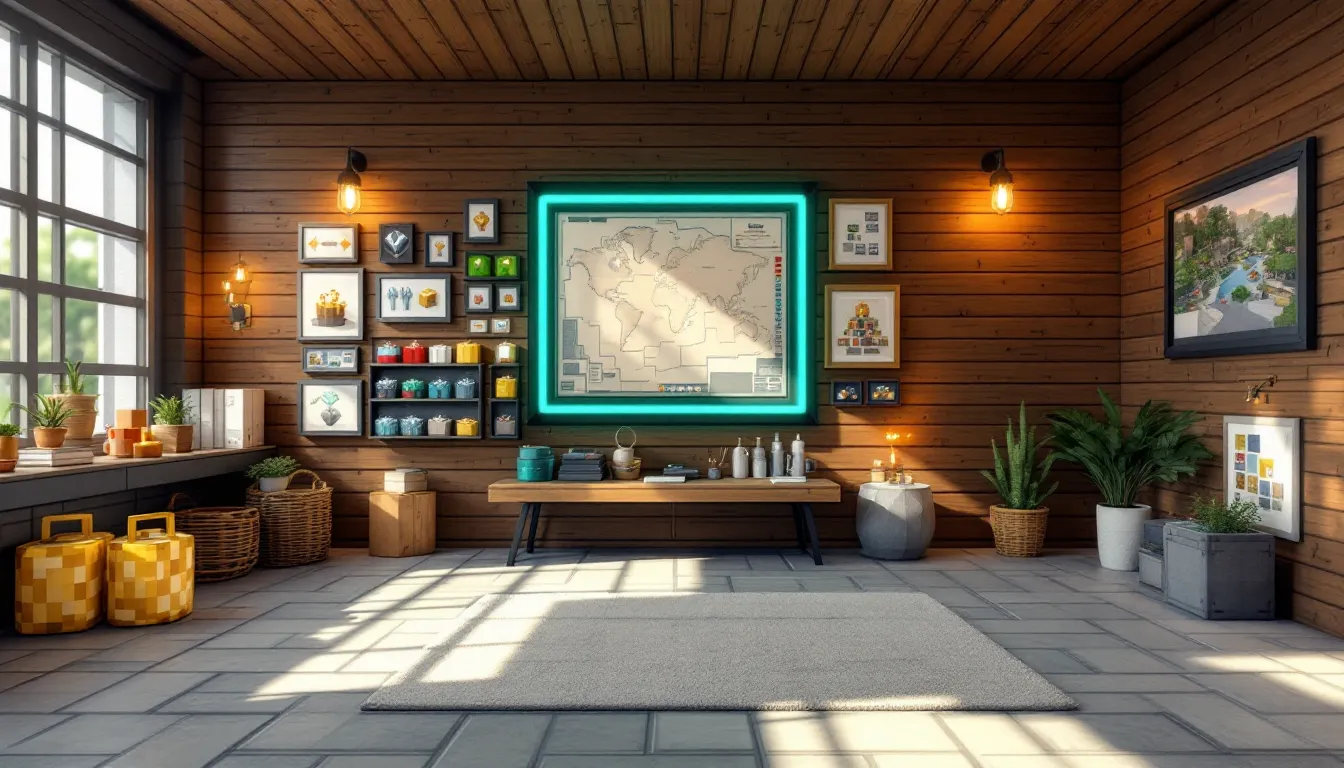
Item frames might not have the flashy appeal of diamond armor or enchanted weapons, but they’re one of Minecraft’s most versatile tools for personalizing builds. Whether you’re labeling storage systems, creating custom art galleries, or building detailed interiors that feel lived-in, item frames turn functional spaces into something memorable. They’ve been part of the game since Java Edition 1.4.2 and Bedrock Edition Alpha 0.15.0, and players continue finding new ways to push their creative boundaries.
This guide covers everything from basic crafting to advanced techniques like invisible frames and redstone integration. If you’ve ever wondered how to rotate items precisely, create glowing displays, or use frames in ways that make your builds stand out, you’re in the right place. Let’s break down how these small but mighty blocks work and how to use them effectively in both survival and creative modes.
Key Takeaways
- Item frames in Minecraft are versatile decorative blocks that display items with eight rotation positions, making them essential for labeling storage systems, creating art galleries, and building detailed interiors.
- Crafting an item frame requires just 8 sticks and 1 leather, making them easy to produce early in survival mode by setting up a simple cow farm for sustainable leather farming.
- Glow item frames, introduced in the Caves & Cliffs Update, emit a subtle light effect on displayed items and are crafted by combining a standard item frame with a glow ink sac from glow squids.
- Item frames emit redstone signals (strength 0–8) based on rotation position, enabling advanced contraptions like combination locks, puzzle doors, and custom control panels.
- Invisible item frames created through commands display floating items without visible borders, making them perfect for immersive builds and custom wall art installations.
- Strategic item frame placement can reduce storage search time by up to 70% when used as visual labels for chests, and they work on any solid surface including walls, floors, and ceilings.
What Is an Item Frame in Minecraft?
An item frame is a decorative block entity that displays whatever item you place inside it. Think of it as a customizable picture frame that can hold nearly any object in the game, from tools and blocks to food and maps.
Item frames attach to solid surfaces and occupy a single block space, though they’re technically entities rather than full blocks. This means they don’t obstruct movement or block light, making them ideal for decorative purposes without compromising functionality. You can place them on walls, floors, ceilings, and even the sides of other blocks.
What makes minecraft item frame mechanics interesting is their rotation system. Items placed in frames can be rotated through eight different positions (45-degree increments), letting you position compasses, clocks, and other items exactly how you want them. This rotation feature unlocks creative possibilities for pixel art, directional signs, and visual storytelling within your builds.
Frames also interact with redstone. When an item inside is rotated, the frame emits a redstone signal with strength corresponding to the rotation position (0-8). This opens up opportunities for hidden doors, combination locks, and other contraptions that blend seamlessly into decorated walls.
How to Craft an Item Frame
Materials You’ll Need
Crafting item frames requires just two basic materials that are easy to gather, even in early-game survival:
- 8 Sticks: Obtained by placing two wooden planks vertically in a crafting grid. Any wood type works.
- 1 Leather: Dropped by cows, horses, donkeys, mules, llamas, and hogs. You can also get leather from fishing as junk loot or by trading with leatherworker villagers.
Leather is the only material that might require a bit of hunting if you’re in a biome without passive mobs nearby. Setting up a cow farm early in survival makes item frame crafting sustainable.
Step-by-Step Crafting Recipe
Once you have your materials, open your crafting table (3×3 grid) and arrange them like this:
- Place sticks in all eight outer slots, forming a square border.
- Place one piece of leather in the center slot.
- Collect your item frame from the output slot.
This recipe yields one item frame per craft. If you’re planning a large decorative project like a map wall or storage label system, you’ll want to stock up on leather. Consider breeding cows or setting up an automated cow farm to keep materials flowing.
In creative mode, item frames are available directly from the decoration blocks tab in the creative inventory, saving you the crafting step entirely.
How to Place and Use Item Frames
Placing Item Frames on Different Surfaces
Item frames attach to any solid block face, walls, floors, ceilings, you name it. To place one, hold the frame in your hand and right-click (or use your platform’s equivalent interact button) on the surface where you want it.
The frame’s orientation depends on which surface you click. Wall-mounted frames face outward, floor frames lie flat facing up, and ceiling frames hang facing down. This flexibility lets you create displays from any angle, perfect for ceiling-mounted maps in cartography rooms or floor signs in hallways.
You can place multiple frames side-by-side on the same wall without gaps, making them ideal for creating seamless map walls or grid-based pixel art. They don’t need supporting blocks beneath them since they’re entities, so floating displays are totally possible.
One quirk to remember: item frames can’t be placed on transparent blocks like glass or leaves. They need solid surfaces to attach to, though slabs and stairs work fine.
Adding and Rotating Items
To add an item, hold it in your hand and right-click the frame. The item appears centered inside, and you’ll hear a subtle click sound confirming placement.
Rotation is where things get interesting. Each right-click rotates the displayed item 45 degrees clockwise through eight positions before cycling back. This works with any item, though the effect is most noticeable with directional objects like:
- Compasses and clocks: Show different needle positions
- Tools and weapons: Change their angle and orientation
- Books and maps: Rotate for different visual effects
- Food items: Create varied arrangements in kitchen builds
For precision work like pixel art or detailed interiors, getting rotation exactly right matters. Take your time clicking through positions until it looks perfect.
Removing Items and Breaking Frames
To remove an item without breaking the frame, left-click it once while your hand is empty. The item pops out as a collectible entity, and the frame stays mounted.
Breaking the frame itself requires another left-click. Both the frame and any item inside drop as separate items you can pick up. If you accidentally break a frame in survival mode, you’ll need to recraft it, there’s no undo button.
In creative mode, middle-clicking an item frame picks up an exact copy with the same item and rotation already set. This is massively useful for duplicating patterns or repeating designs across large builds without manually placing and rotating each item.
Glow Item Frames: What They Are and How to Make Them
Crafting Glow Item Frames
Glow item frames were added in the Caves & Cliffs Update Part I (Java 1.17 / Bedrock 1.17.0) and do exactly what their name suggests, they illuminate the items placed inside them.
The crafting recipe combines two materials:
- 1 Item Frame (standard, already crafted)
- 1 Glow Ink Sac (dropped by glow squids)
Place both in a crafting grid (shapeless recipe), and you’ll get a glow item frame. The process is simple, but finding glow squids can take some effort. They spawn in complete darkness below Y=30 in ocean biomes, often in underwater caves. Bring a Potion of Night Vision and a sword with Looting III to maximize glow ink sac drops.
Glow item frames don’t appear naturally anywhere in the world, so crafting is your only option unless you’re playing in creative mode.
Key Differences Between Standard and Glow Item Frames
Visually, glow frames have a subtle teal border that distinguishes them from regular brown leather frames. But the real difference shows when you add an item: the displayed object appears brightly lit, regardless of surrounding light levels.
This effect doesn’t actually emit light that affects nearby blocks, it’s purely visual. Your glow frame won’t prevent mob spawns or illuminate dark corners. What it does do is make items visible in low-light conditions, perfect for:
- Highlighting important items in dimly lit storage rooms
- Creating luminous art displays that pop in dark-themed builds
- Marking paths or important locations without adding light sources that might clash with your aesthetic
Many builders working on underground bunkers use glow frames for emergency item access or visual waypoints without compromising the moody atmosphere.
The glow effect works on any item, though it’s most dramatic with colorful blocks, enchanted gear, or custom map art. In survival, glow frames cost exactly the same resources as regular frames (plus one glow ink sac), so there’s no performance or durability difference, just the visual upgrade.
Creative Uses for Item Frames in Your Builds
Decorative Wall Art and Custom Paintings
Item frames let you create custom artwork that goes far beyond Minecraft’s built-in paintings. Place banners with custom patterns, dyed leather armor, or colorful blocks inside frames to design unique wall decorations that match your build’s theme.
Some players use blocks like white concrete or quartz in frames to create minimalist modern art installations. Others arrange flower pots, coral, or prismarine shards for oceanic themes. The eight rotation positions give you control over each piece’s orientation, letting you create asymmetrical or geometric patterns.
For themed rooms, item frames displaying relevant items reinforce the atmosphere, swords and shields in an armory, golden apples in a treasury, or elytra wings in an aviation hangar.
Creating Maps and Map Walls
Maps are probably the most iconic item frame use case. When you place filled maps in adjacent frames, they automatically align to create one continuous image, perfect for cartography rooms or navigation halls.
To build a map wall:
- Explore and fill multiple maps covering adjacent areas
- Place item frames in a grid on your wall (3×3, 4×4, etc.)
- Add maps in the correct order
- Watch them seamlessly connect
Level 4 maps (created by combining paper with a map in a cartography table) show the most detail and work best for large walls. Players often build map rooms near their spawn points, marking important locations with banners that appear on the maps.
Some technical players combine this with structure-based map art, creating pixel images by carefully building structures that show up as colored pixels when mapped.
Building Functional Item Displays and Storage Labels
In survival mode, organization is everything. Item frames transform generic chest rooms into intuitive storage systems by showing what’s inside each container.
Place a frame above or beside each chest and add a representative item, cobblestone for the building blocks chest, wheat for the farming supplies, iron ingots for metals. According to community guides on organization, visual labeling reduces search time by up to 70% compared to unlabeled storage.
Some players take this further with color-coded systems using stained glass, wool, or concrete in frames, creating hierarchical categories that make sense at a glance.
Making Custom Furniture and Detailed Interiors
Item frames are secret weapons for interior decorators. With creative placement and the right items, you can craft furniture pieces that feel detailed and functional:
- Tables and counters: Place plates (pressure plates) or bowls in floor frames for place settings
- Shelves: Wall-mounted frames displaying books, potions, or tools create lived-in shelving
- Kitchen details: Frames with bread, fish, or vegetables on counters suggest active cooking spaces
- Bathroom fixtures: White concrete or quartz blocks in specific arrangements mimic sinks or toilets
- Tech details: Frames with clocks, compasses, or buttons suggest control panels
The key is layering frames with other decorative blocks like trapdoors, slabs, and stairs to create depth. A single frame might not look like much, but three frames with rotated items on a stair-step arrangement suddenly becomes a convincing bookshelf or display case.
Advanced Item Frame Techniques and Tricks
Making Invisible Item Frames
Invisible item frames are a game-changer for builders who want items to appear floating or integrated directly into walls without visible borders. This isn’t a crafting recipe, it requires commands.
In Java Edition, use this command:
/give @p minecraft:item_frame{EntityTag:{Invisible:1b}}
In Bedrock Edition, the process is slightly different and typically requires behavior packs or add-ons, as Bedrock doesn’t support NBT data in commands the same way.
Invisible frames retain all normal functionality, you can place items, rotate them, and interact normally. The frame itself just doesn’t render. This is perfect for:
- Custom paintings: Items appear to float on walls
- Hidden storage labels: Only the item shows, not the frame
- Seamless decorations: Armor stands or tool displays without visual clutter
Many content creators and map makers rely on invisible frames for immersive environments that don’t scream “this is made of blocks.”
Using Item Frames in Redstone Contraptions
Item frames output redstone signals based on rotation position. When you rotate an item, the frame emits a signal strength from 0 to 8:
- Position 1 (first rotation): Signal strength 1
- Position 2: Signal strength 2
- … and so on up to signal strength 8
This mechanic enables combination locks where specific rotation patterns unlock doors. For example, a three-frame lock with positions set to 3-7-2 could trigger a piston door when all three match.
You can also use frames as adjustable dials for lighting systems, mob farm controls, or sorting machines. Community builders on modding platforms have created elaborate puzzle maps using item frame-based redstone exclusively.
The signal outputs through a comparator placed behind the block the frame is attached to. Build the frame on a solid block, place a comparator reading from that block, and you’re set.
Creating 3D Art and Pixel Art Displays
Frames arranged in grids with carefully chosen blocks create impressive pixel art. The rotation feature adds a third dimension, you can angle blocks to catch light differently or create shading effects impossible with standard block placement.
For 3D effects:
- Use blocks with distinct faces (like hay bales or logs) that show different textures when rotated
- Vary rotation across adjacent frames to create depth perception
- Mix regular and glow frames for highlighted areas
- Layer multiple frame walls with slight offsets for true 3D sculptures
Some technical builders create animated displays by using armor stands, invisible frames, and command blocks to cycle items through rotations, simulating movement. This is advanced stuff, but detailed guides walk through the process for players ready to experiment.
Item Frame Tips for Survival and Creative Modes
Survival Mode Strategies
In survival, every resource counts, so efficient item frame use matters:
Prioritize leather farming early. A simple cow pen with wheat for breeding produces steady leather for frames without competing with your exploration time. Two cows plus wheat equals infinite item frames eventually.
Use frames strategically for navigation. Place frames with arrows (the craftable item, not ammunition) at intersections in your mine system pointing toward exits or important areas. This costs less than signs and provides clearer directional info.
Protect frames in public areas. If you’re on a multiplayer server, item frames are vulnerable to trolls. Place them in protected regions or use plugins/mods that lock decorative entities. Some servers have built-in frame protection, check with admins.
Glow frames for emergency supplies. Mark your emergency chest (the one with backup gear near your base entrance) with a glow item frame displaying a golden apple or totem of undying. It’ll stand out when you respawn in a panic.
Create visual depth without lag. Unlike entities like armor stands, item frames are relatively light on performance. You can use dozens in decorated builds without significant fps drops, though hundreds in one chunk might cause issues on lower-end hardware.
Creative Mode Best Practices
Creative mode removes resource limits but introduces different challenges:
Middle-click to duplicate configured frames. This copies the frame with its current item and rotation, saving massive time on repetitive builds. Set up one frame perfectly, then duplicate it across your entire wall.
Use invisible frames liberally. Since commands are readily available in creative, invisible frames should be your default for most decorative work. They look cleaner and more professional.
Experiment with unconventional items. Try displaying spawn eggs, structure blocks, or even barriers in frames for abstract art. Creative inventory includes items that don’t exist in survival, some make surprisingly good decorations.
Combine with other entities. Layer frames with armor stands, item displays (added in 1.19.4), and custom heads for complex decorative scenes. The more elements you combine, the more detailed your build becomes.
Test redstone before finalizing. If your build includes frame-based redstone mechanics, test thoroughly in creative before attempting in survival. Getting the rotation-to-signal-strength mapping right takes iteration.
Common Item Frame Problems and How to Fix Them
Problem: Items keep disappearing from frames
This usually happens in multiplayer environments or when chunk borders are involved. Item frames are entities, so if they’re on a chunk border and one chunk unloads while the other stays loaded, weird behavior can occur. Solution: Place important frames at least two blocks away from chunk boundaries (press F3+G in Java Edition to see chunk borders).
Problem: Can’t place frames on certain blocks
Frames require solid block faces. Glass, leaves, ice, and most transparent blocks won’t work. Solution: Place a solid block like stone or wood behind transparent blocks if you want the frame to appear on glass walls or similar surfaces.
Problem: Frames break when I try to rotate items
This happens when you left-click instead of right-click. Left-click breaks the frame: right-click rotates the item. On console or mobile, it’s easy to accidentally use the break button instead of interact. Solution: Be deliberate with your button presses, and consider adjusting controller mapping if this happens frequently.
Problem: Glow frames aren’t glowing
If your glow frame looks like a regular frame, you might have crafted it wrong or placed a regular frame by mistake. Solution: Double-check your inventory, glow frames have a distinct teal border. If you’re certain it’s a glow frame but it’s not glowing, make sure you’ve actually placed an item inside it. Empty glow frames don’t show the effect.
Problem: Redstone signal from frame isn’t working
The comparator needs to read from the block the frame is attached to, not the frame itself. Solution: Place your comparator facing away from the solid block behind the frame. Also verify the item is rotated to the position you want, empty frames or items at default rotation output signal strength 0.
Problem: Map wall doesn’t align properly
Maps only auto-align if they’re consecutive filled maps of adjacent areas. If you created maps in the wrong order or with gaps between explored areas, they won’t connect visually. Solution: Use a cartography table to create maps systematically, ensuring each new map borders the previous one.
Conclusion
Item frames have come a long way from simple decorative blocks to essential tools in both survival organization and creative expression. Whether you’re labeling chests, building map rooms, creating pixel art, or designing invisible floating displays, understanding frame mechanics opens up hundreds of possibilities for personalizing your builds.
The beauty of minecraft item frame design is its flexibility, there’s no single “right” way to use them. A survival player might focus on practical storage labels and navigation markers, while a creative builder might push frames to their limits with 3D art installations and redstone-integrated puzzles. Both approaches are valid and rewarding.
As you experiment with item frames in your own projects, don’t be afraid to try unconventional ideas. Some of the most impressive builds happen when players ignore traditional uses and ask “what if?” That weird combination of rotated items might be exactly what your build needs to go from good to unforgettable.