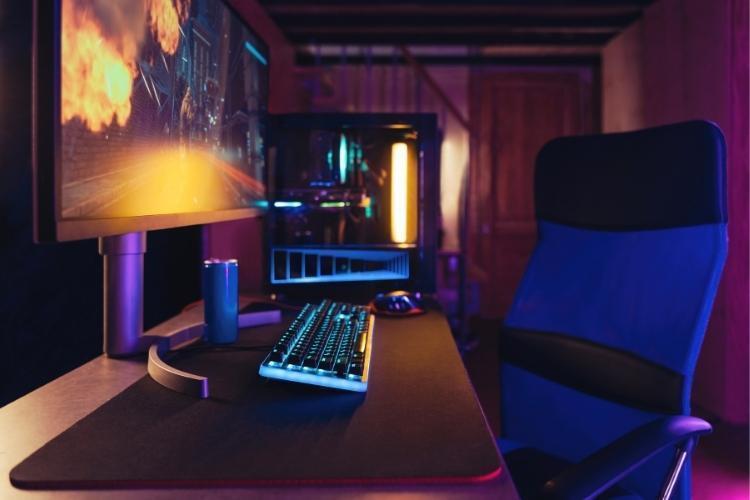
When you live alone, a gaming setup can add personality to your home and make the space feel more enjoyable. In a shared apartment, that same setup has to work around other people’s routines. Your desk, console, chair, headset, lights, cables, and voice chat can affect someone else’s sleep, work, study time, or use of the common areas.
That does not mean you have to give up a serious setup. It means you need to decide where the gaming area belongs, how much space it can take, and how you will keep noise, wires, internet use, and storage under control. The goal is simple: you should be able to play comfortably without making the apartment harder for your roommates to use.
Decide If the Setup Belongs in Your Room or a Shared Area
Start by deciding where the setup will sit. If you have your own bedroom, that is usually the simplest place for a gaming desk or console setup. You control the layout, and your roommates do not have to move around your equipment in the living room. Even then, you still need to think about noise, wall placement, and late-night movement.
If your bedroom is too tight, or if the gaming setup has to go in the living room, treat that as a shared-space decision. Do not assume an unused corner is automatically yours. Ask how the area is used during the week. A corner beside the TV may look convenient, but it can interfere with movie nights, guests, or someone else’s work setup.
In a private room, choose a corner where you can reach an outlet and use the internet without running cables across the floor. In a shared room, choose a spot that does not block walkways, seating, shelves, windows, or access to the TV. You should be able to pull out your chair without forcing someone else to squeeze past you.
Keep Voice Chat and Game Audio Under Control
Sound is usually the first gaming issue roommates notice. Speakers carry through walls, but voice chat can be just as disruptive. If you play multiplayer games, your roommates are not only hearing the game. They may also hear your callouts, reactions, keyboard taps, controller clicks, and chair movement.
A closed-back headset is usually the safer option in a shared apartment because it keeps most of the game audio around your ears instead of filling the room. If you use voice chat, the microphone setup is about both you and your roommates. You need your teammates to hear you clearly, but you also need to avoid broadcasting every sound from the apartment.
Set your microphone input so it picks up your voice without pulling in kitchen noise, TV sound, or someone talking nearby. Push-to-talk can also help if you share a room or play at night. For keyboard noise, use a desk mat because it adds a padded surface under the keyboard and reduces some vibration against the desk.
Use Compact Gear Without Crowding the Apartment
Shared apartments leave less room for oversized furniture and loose accessories. You do not need to make the setup temporary, but you do need to choose equipment that fits the room you have.
Use a desk that fits your monitor, keyboard, mouse, and console or PC without blocking drawers, doors, or walkways. If the desk surface is tight, you can attach a monitor arm to raise the screen, leaving room underneath for your keyboard, controller, notebook, or charging dock. You can use a vertical console stand to reduce the amount of desk or shelf space your console takes. You can also mount controller hooks on the side of a desk or inside a cabinet if your lease allows it.
Compact gear can reduce the amount of space your setup takes up, but it cannot solve a poor roommate match. If you know you want a gaming desk, regular voice chat, late-night sessions, or a console in a common area, raise that before you move in. A rental platform such as SpareRoom can help you incorporate those details into the search rather than treating them as an afterthought. When you check listings through www.spareroom.com, assess room size, desk space, internet details, common-area rules, and any notes about noise or shared screens. That way, you can find someone who understands your gaming setup from the start and will not have an issue with it after you move in.
Manage Cables Properly and Ensure There’s Adequate Ventilation
As you add a monitor, console, PC, headset charger, controller dock, lamp, capture card, or router extender, the area behind the desk can become messy fast.
Use cable sleeves, Velcro ties, or adhesive clips to group wires along the wall, desk leg, or baseboard. Keep power strips away from walkways, storage bags, and places where people need to vacuum. Do not run cables under rugs in common areas, especially where people step every day.
Give your PC tower or console enough space around its vents. Do not push it into a closed cabinet or trap it behind stacked items. In a bedroom, leave enough space around the setup so heat from the PC, console, and monitor does not build up around you during long sessions. Clean dust from fans and vents, as buildup can make equipment run hotter and louder.
Agree on Router Placement and Internet Use
A strong gaming setup still depends on the apartment’s internet arrangement. In shared housing, one connection may support gaming, streaming, video calls, downloads, online classes, and remote work at the same time. If nobody discusses usage, the connection can become another source of tension.
Ask where the router will sit and how the bill will be split. If you can use a wired connection, run an Ethernet cable in a safe route from the router to your gaming device. Use clips along the wall or baseboard so the cable does not cross a walkway. A wired connection can give your device a steadier route to the router, but only if the cable placement does not create a trip hazard or annoy your roommates.
If Ethernet is not practical, talk about router placement before buying extenders or mesh equipment. Keep the router in an open spot when possible, not behind a TV stand, inside a cabinet, or beside appliances. A better router location can improve the connection for everyone, not only the person gaming.
Final Thoughts
Every element of a roommate-friendly gaming space should be agreed upon by everyone who shares the space. Decide where the setup belongs, how much room it can use, what hours make sense for voice chat, and how the apartment’s internet will be handled.
A clear setup plan protects your comfort and your roommate relationships. You can still have a strong gaming corner, but it should not take over a bedroom wall you share, a walkway people use, or a living room everyone pays for. In a shared apartment, the right setup is the one you can use without inconveniencing anyone.